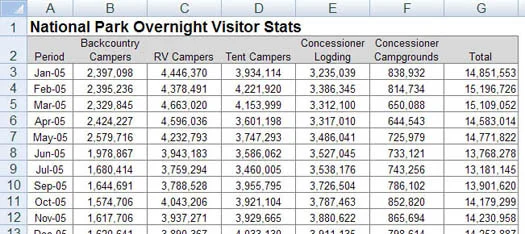
可以使用鼠標或鍵盤命令在表格中格式化、定位和排列 InDesign 文本。如果您使用鼠標選擇文本,這些快速命令之一可以在不更改鼠標位置的情況下設置文本的樣式或位置。
| 功能 | 麥金塔電腦 | 視窗 |
|---|---|---|
| 膽大 | Shift+命令鍵+B | Ctrl+Shift+B |
| 斜體 | Shift+Command 鍵+I | Ctrl+Shift+I |
| 普通的 | Shift+Command 鍵+Y | Ctrl+Shift+Y |
| 強調 | Shift+Command 鍵+U | Ctrl+Shift+U |
| 刪除線 | Shift+Command 鍵+/ | Ctrl+Shift+/ |
| 上標 | Shift+Command 鍵+= | Ctrl+Shift+= |
| 下標 | Option+Shift+Command 鍵+= | Ctrl+Alt+Shift+= |
| 左對齊 | Shift+Command 鍵+L | Ctrl+Shift+L |
| 右對齊 | Shift+Command 鍵+R | Ctrl+Shift+R |
| 居中對齊 | Shift+命令鍵+C | Ctrl+Shift+C |
| 左對齊 | Shift+Command 鍵+J | Ctrl+Shift+J |
| 證明對 | Option+Shift+Command 鍵+R | Ctrl+Alt+Shift+R |
| 對齊中心 | Option+Shift+Command 鍵+C | Ctrl+Alt+Shift+C |
| 對齊基線網格開/關 | Option+Shift+Command 鍵+G | Ctrl+Alt+Shift+G |
| 插入表格 | Option+Shift+Command 鍵+T | Ctrl+Alt+Shift+T |
| 插入列 | Option+Command 鍵+9 | Ctrl+Alt+9 |
| 插入行 | 命令鍵+9 | Ctrl+9 |